Messy2Sheet
VisitDocument to Excel converter using OCR + AI
Messy2Sheet introduction
Upload PDFs, scans, screenshots, emails, CSVs, spreadsheets, or pasted text and get a reviewable Excel or CSV with reusable cleanup rules.
- Website:
- messy2sheet.com
Messy2Sheet overview
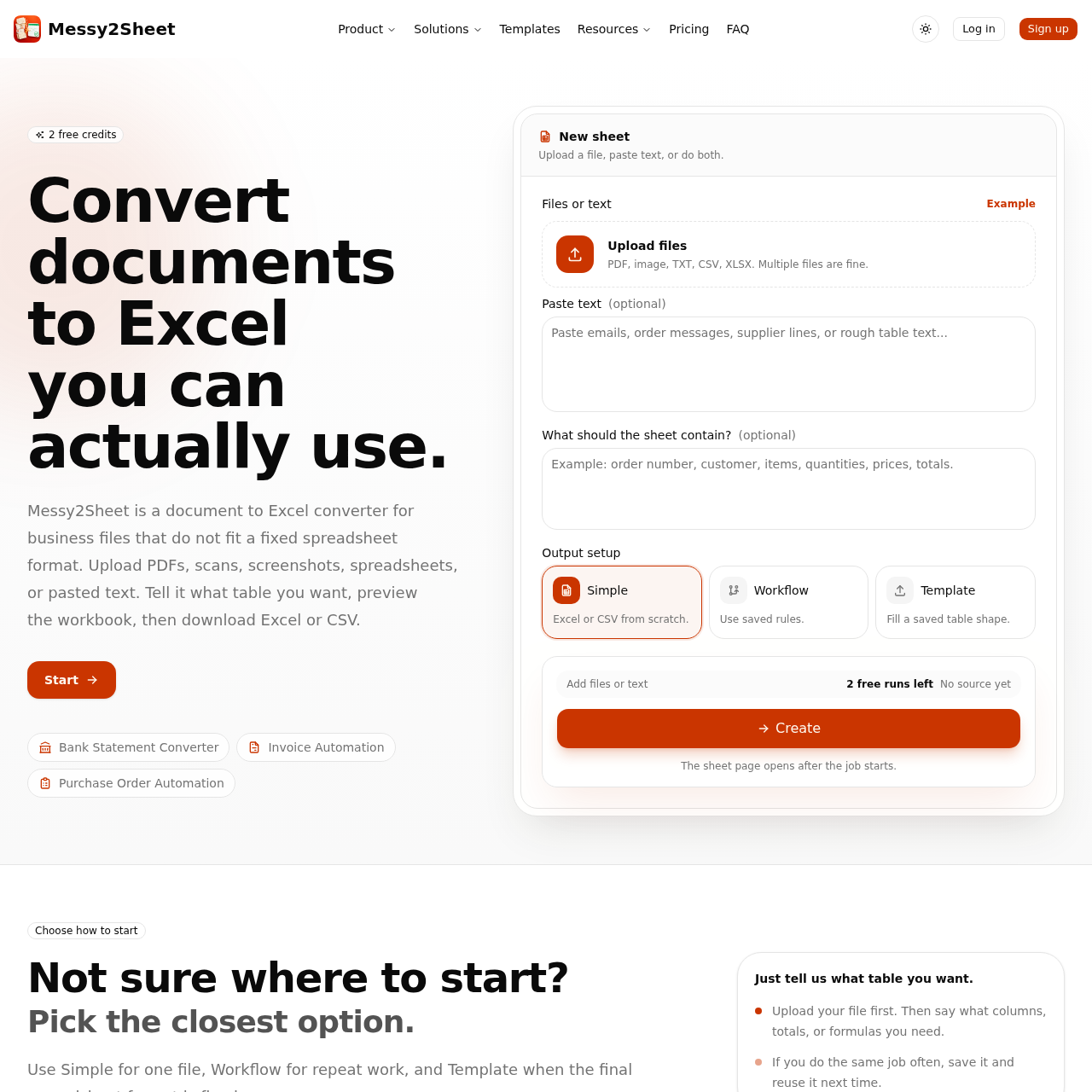
Messy2Sheet uses OCR to read visible text and AI to check context and build rows, columns, and tabs. Users can review uncertain values before exporting to XLSX or CSV, and save columns and cleanup rules for repeat files. It supports file-first workflows, optional templates for fixed layouts, and plain-English instructions for custom output.
Messy2Sheet features
- Upload PDF, screenshot, email, CSV, spreadsheet, scan, or pasted text
- OCR reads visible text from uploaded files
- AI checks context and drafts rows, columns, and tabs
- Review the workbook against the original file before export
- Export to XLSX or CSV
- Save columns and cleanup rules as reusable workflows
- Use plain-English instructions for desired columns, formulas, and tabs
- Support for fixed-layout templates (work orders, purchase orders, expense reports, estimates)
- Does not require a template to start
- Handles bank statements, invoices, sales orders, and receipts
- Review jobs show source and resulting workbook side by side
- 10 free pages to try
Questions about Messy2Sheet
Messy2Sheet pros
- Combines OCR and AI to handle messy files
- Allows review before export
- Saves reusable cleanup rules and workflows
- Supports multiple input types including PDFs, scans, screenshots, emails, and pasted text
- Exports XLSX and CSV
- Does not require a template to start
- Offers templates for fixed business layouts
- Public examples are separate from user uploads
Messy2Sheet limitations
- Blurry photos, glare, or cut-off pages may still need a manual check
Messy2Sheet use cases
- PDF to CSV conversion
- Bank statement to Excel
- Image to Excel
- Text to CSV conversion
- Work order template filling
- Purchase order template filling
- Expense report template filling
- Estimate template filling
- Purchase order automation
- Sales order automation
- Expense report workflow
- Invoice automation
Who Messy2Sheet is for
- Business users handling recurring messy documents
- Accounting and finance teams converting bank statements and expenses
- Procurement and purchasing teams processing purchase orders
- Sales operations staff managing orders
- Field service and contracting teams using work orders and estimates
- Anyone manually copying data into Excel or CSV
Messy2Sheet pricing
Offers 10 free pages and a free trial file; no further pricing details are provided.
Alternatives to Messy2Sheet