Image to Prompt Generator

Visit

Turn any image into a detailed AI prompt in seconds.

Image to Prompt Generator introduction

Image to Prompt Generator is a free browser-based tool that analyzes an uploaded image and produces a detailed text prompt for AI image models. It requires no sign-up and supports models such as Midjourney, Stable Diffusion, FLUX, and DALL·E.
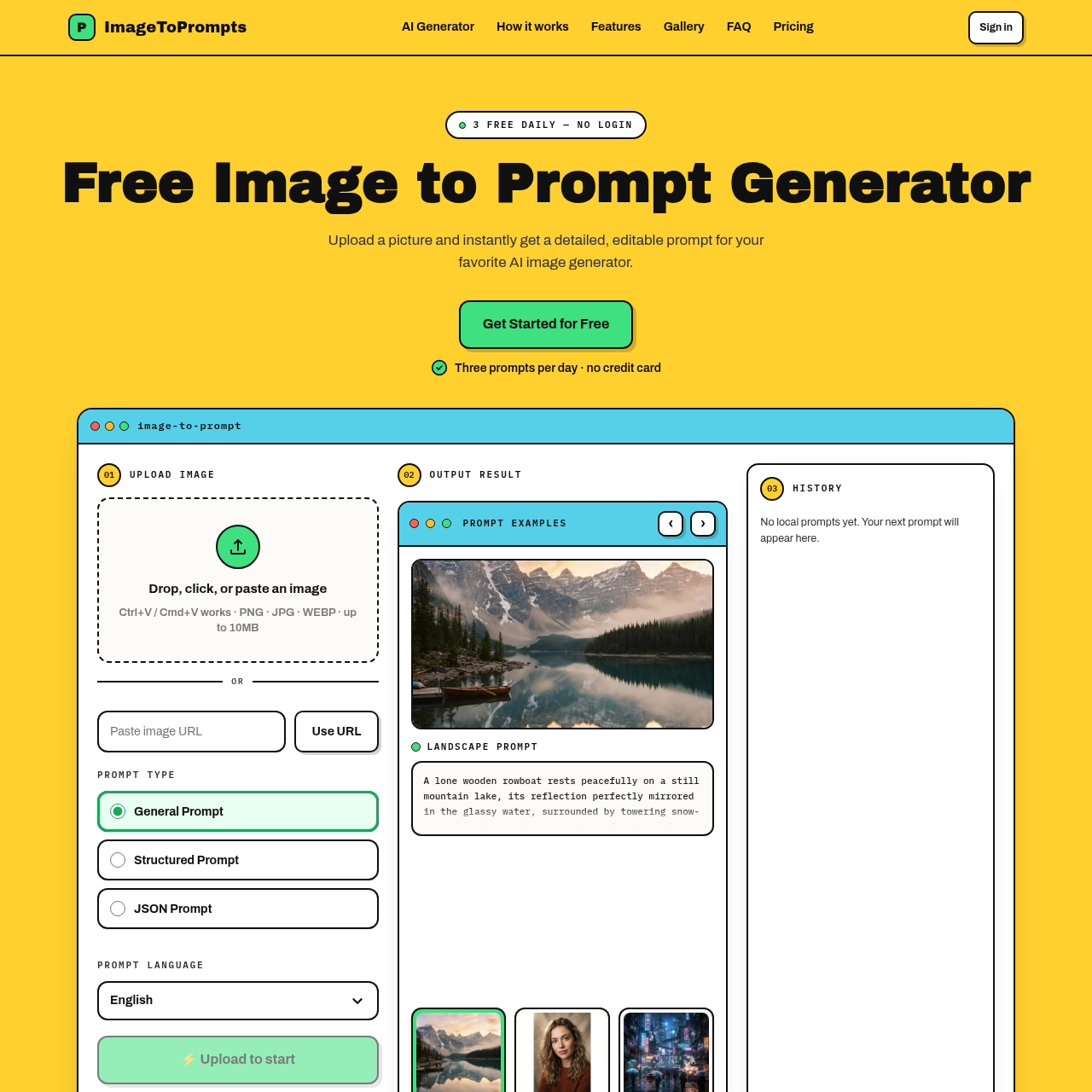
Image to Prompt Generator screenshot

Image to Prompt Generator overview

Image to Prompt Generator converts an uploaded image into a descriptive text prompt that can be reused with AI image generators. According to the site, users select or drag in an image, click to start the conversion, and copy the resulting prompt from the output box. The tool is described as 100% free with unlimited generations and no sign-up required, and it is available as a Chrome extension for desktop Chrome. The site states that uploaded images are not stored on its servers and are deleted once the prompt is generated. It also offers example prompts and notes that prompts can be manually edited if the result is not accurate enough.

Image to Prompt Generator features

  • Converts an uploaded image into a detailed AI image prompt
  • Supports image upload by file selection or drag-and-drop
  • Lets users click example images to try the tool
  • Provides an output box for the generated prompt
  • Allows copying the generated prompt for use in image generators
  • Includes an AI model selector
  • Includes an output language option
  • Available as a Chrome extension for desktop Chrome
  • States that uploaded images are not stored on its servers
  • Offers example image prompts for browsing
  • Prompts can be manually edited after generation

Questions about Image to Prompt Generator

Image to Prompt Generator pros

  • Free to use according to the site
  • No sign-up or login required
  • Unlimited generations stated
  • Works with multiple AI image models including Midjourney, Stable Diffusion, FLUX, and DALL·E
  • Available as a Chrome extension for desktop Chrome
  • Site states uploaded images are not stored and are immediately deleted after prompt generation
  • Generated prompts can be manually edited

Image to Prompt Generator limitations

  • Available as a Chrome extension specifically for desktop Chrome
  • The site recommends clear images with well-defined subjects for more accurate prompts
  • Generated prompts may not always be accurate enough and may require manual editing

Image to Prompt Generator use cases

  • Generating prompts for Midjourney, Stable Diffusion, FLUX, DALL·E and similar image models
  • Turning a reference image into a reusable text description
  • Describing an image with words for creative projects
  • Exploring prompt ideas from example images
  • Creating prompts from design sketches for communication
  • Producing text descriptions of images for content creation
  • Converting visual references into prompts for image generation
  • Drafting prompts that can be edited and fine-tuned

Who Image to Prompt Generator is for

  • AI image generator users
  • Visual designers
  • Content creators
  • Marketers
  • Product managers
  • Software engineers
  • UX/UI designers
  • Social media managers
  • Researchers
  • Educators

Image to Prompt Generator pricing

The site states that the Image to Prompt Generator is completely free to use with no limits on the number of generations and no sign-up required.

Alternatives to Image to Prompt Generator