HowToPose AI

Visit

AI Pose Generator - Free Online Change Any Poses from Photo

HowToPose AI introduction

HowToPose.ai is an AI-powered workspace for adjusting poses, outfits, framing, cleanup, and export quality in photos without rebuilding the whole image.
Website:
howtopose.ai
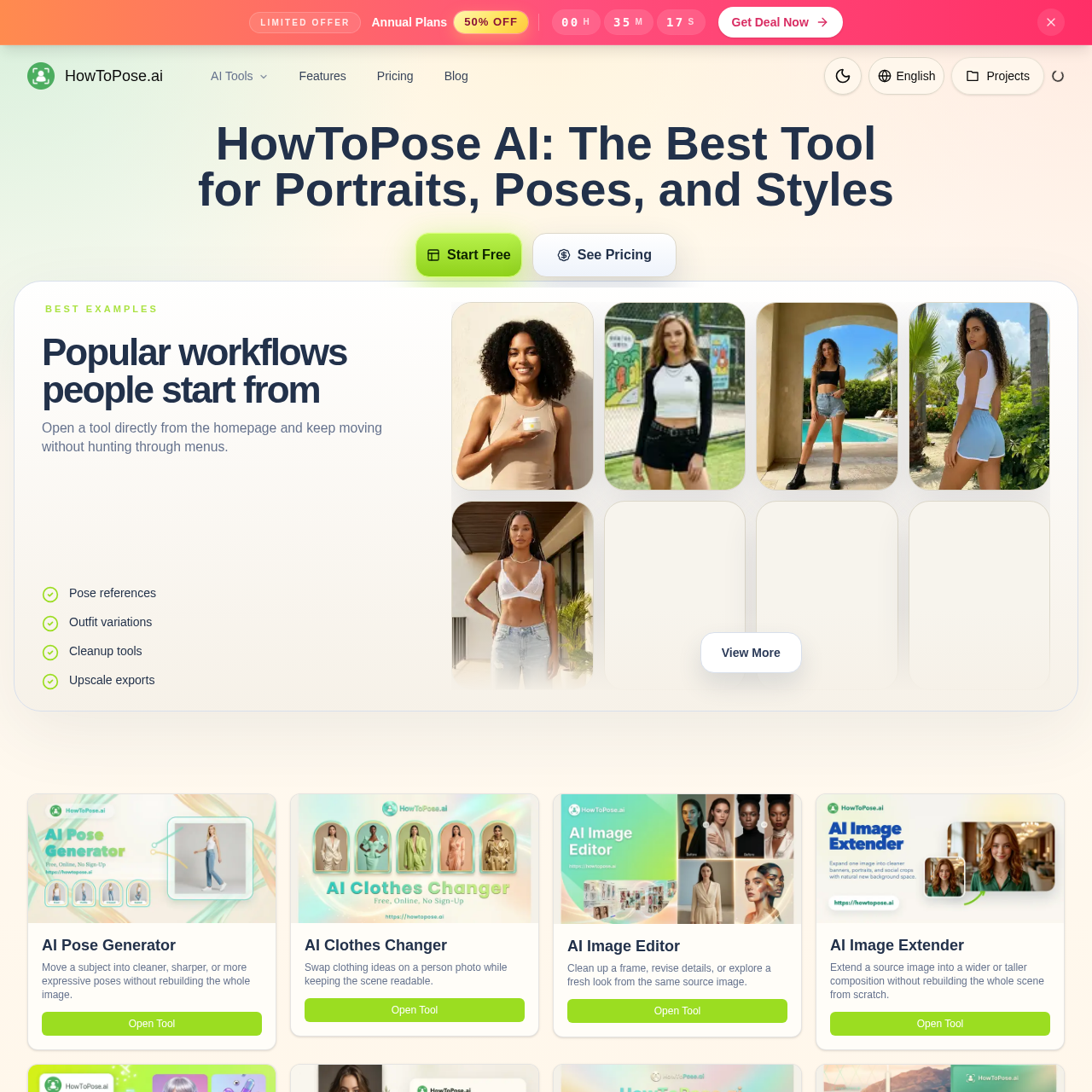
HowToPose AI screenshot

HowToPose AI overview

HowToPose.ai provides multiple connected AI tools for portrait and image editing. Users can adjust body angle, hand position, chin line, crop, and expression after a shot is taken, explore outfit changes, extend framing, remove watermarks, upscale drafts, and generate or sketch images from photos or prompts. The workflow is designed for creators, stores, and teams who need faster ideation and practical visual output.

HowToPose AI features

  • AI Pose Generator to change poses in photos
  • AI Clothes Changer to swap clothing ideas
  • AI Image Editor for cleanup and detail revision
  • AI Image Extender to widen or heighten composition
  • Free AI Image Generator from text prompts
  • AI Photo to Sketch Converter for pencil, ink, or watercolor styles
  • Free AI Image Upscaler for cleaner exports
  • AI Watermark Remover for removing distractions
  • Connected workspace for multiple pose tools
  • Pose references and outfit variations
  • Cleanup tools for frame preparation
  • Upscale and export preparation

Questions about HowToPose AI

HowToPose AI pros

  • Connected workflow from pose planning to export
  • Multiple specialized AI tools in one workspace
  • Pose editing without rebuilding the whole image
  • Outfit exploration while preserving the subject
  • Frame extension for multiple layout formats
  • Cleanup and watermark removal before delivery
  • Upscaling for cleaner exports and handoffs
  • Practical for social posts, client drafts, and campaign planning

HowToPose AI limitations

  • Homepage gallery cards are not yet populated, so ready-made examples cannot be browsed directly from the gallery section.

HowToPose AI use cases

  • Adjusting body angle, hand position, chin line, crop, and expression after a photo is taken
  • Testing outfit direction from a single source photo
  • Extending images into wider or taller formats for different layouts
  • Cleaning up watermarks or distractions before reuse
  • Upscaling low-resolution drafts for cleaner exports
  • Converting photos into pencil, ink, or watercolor sketches
  • Generating images from text prompts for concepting, posters, and product ideas
  • Preparing assets for social posts, decks, thumbnails, and product pages
  • Creating multiple campaign crops from one portrait
  • Exploring lighting, mood, and styling shifts while preserving the subject
  • Producing lookbook, product page, and campaign test visuals
  • Finishing images for client drafts, internal reviews, and delivery

Who HowToPose AI is for

  • Content strategists
  • Freelance designers
  • E-commerce marketers
  • Brand photographers
  • Fashion stylists
  • Creative producers
  • Social media leads
  • Art directors
  • Beauty brand founders
  • Retail visual merchandisers
  • Performance marketers
  • Content producers

Alternatives to HowToPose AI