Microsoft SAM TTS Online
VisitFree browser-based Microsoft SAM text-to-speech generator recreating the classic Windows XP voice.
Microsoft SAM TTS Online introduction
A free online tool that generates the classic Microsoft SAM voice from Windows XP, with adjustable pitch, speed, mouth, and throat, and WAV download, all in the browser.
- Website:
- samtts.com
Microsoft SAM TTS Online overview
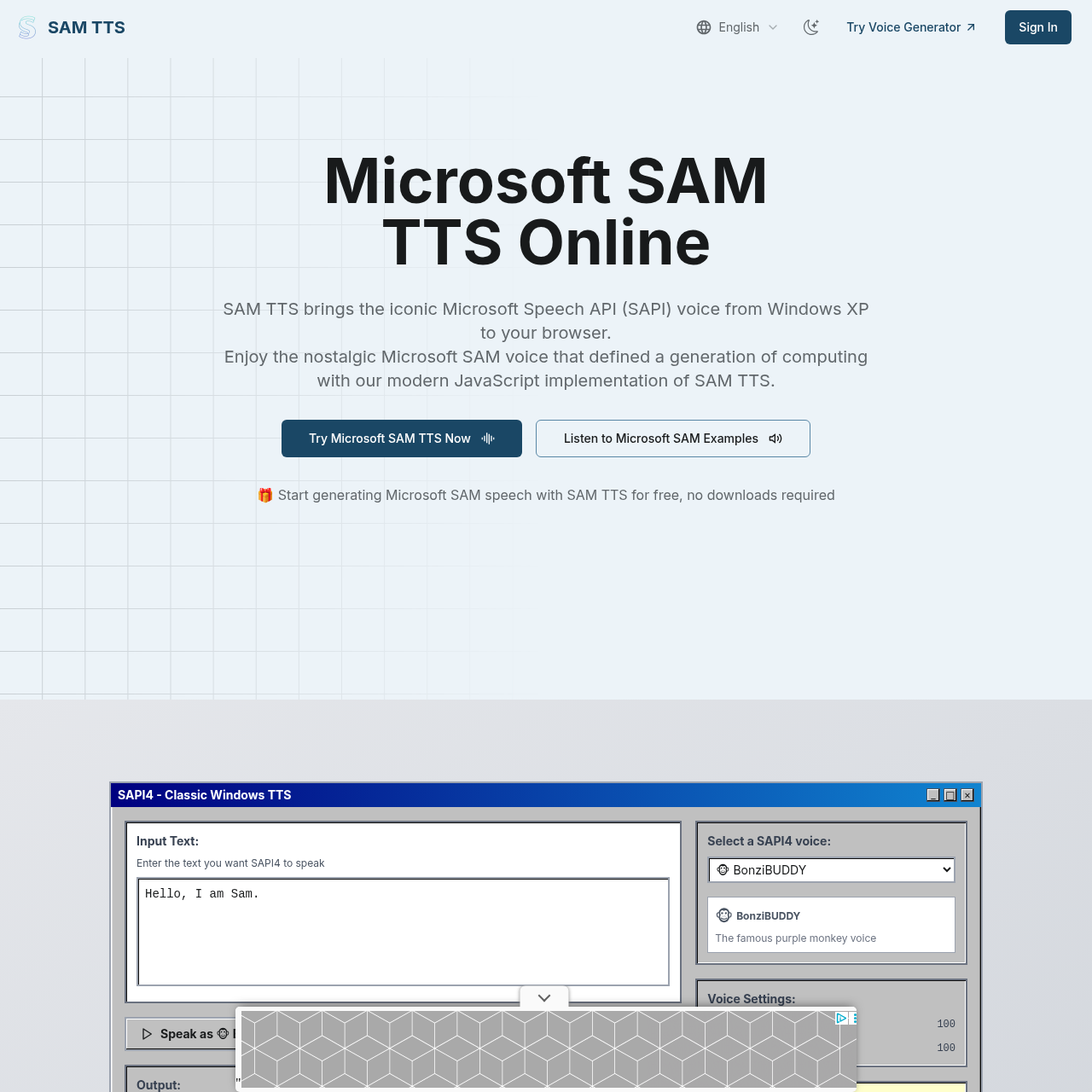
Microsoft SAM TTS Online is a modern JavaScript implementation of the classic Microsoft SAM speech synthesizer originally shipped with Windows 2000/XP. It recreates the iconic robotic Windows voice entirely client-side, requiring no downloads or installations. Users can type text, preview speech, adjust pitch, speed, mouth, and throat parameters, select from character voice presets, and download the result as a WAV file. The implementation is lightweight (<100KB) and works across modern browsers on desktop and mobile.
Microsoft SAM TTS Online features
- Browser-based Microsoft SAM voice generation
- Authentic Windows XP SAM voice synthesis
- Adjustable pitch, speed, mouth, and throat parameters
- Voice presets: Default SAM, Elf, Little Robot, Stuffy Guy, Little Old Lady, Extra-Terrestrial
- Download generated audio as WAV
- Lightweight implementation under 100KB with no external dependencies
- Cross-platform support for Chrome, Firefox, Safari, Edge, and mobile
- Simple JavaScript API for integration
- Additional classic SAPI voices: Microsoft Mike, Microsoft Mary, BonziBUDDY, TruVoice Peter
- Magic button for random text
- Client-side processing (no server, privacy, offline use after initial load)
- Free with no sign-up or downloads
Questions about Microsoft SAM TTS Online
Microsoft SAM TTS Online pros
- Completely free with no sign-up or downloads required
- Runs entirely in the browser, preserving privacy and allowing offline use after initial page load
- Authentic recreation of the classic Windows XP Microsoft SAM voice
- Adjustable pitch, speed, mouth, and throat for voice customization
- Includes voice presets for instant character voices
- Lightweight implementation under 100KB with no external dependencies
- Download generated speech as WAV for use in other projects
- Works across modern browsers and mobile devices
Microsoft SAM TTS Online limitations
- Works best with standard English and common words; technical terms or unusual proper names may require phonetic input
- Short to medium-length sentences typically produce the clearest output
- Produces a retro, robotic voice rather than modern neural-quality speech
Microsoft SAM TTS Online use cases
- Creating videos and memes with retro voice
- Adding nostalgic voice to games
- Narrating creative projects
- Prank calls and comedic narrations
- Testing retro text-to-speech in applications
- Generating WAV audio for retro projects
Who Microsoft SAM TTS Online is for
- Developers
- Content creators
- Windows nostalgia enthusiasts
- Retro computing enthusiasts
- Meme and video creators
- Game developers
Microsoft SAM TTS Online pricing
Completely free to use; no subscriptions, sign-ups, or software downloads. WAV download is included at no cost.
Alternatives to Microsoft SAM TTS Online