Video Background Remover

Visit

Remove background from video online and export a clean transparent file β€” no green screen, no manual masking, no watermark.

Video Background Remover introduction

Video Background Remover is an online AI tool that automatically removes video backgrounds and exports transparent WebM/PNG sequences or MP4 with a new background, without watermark.
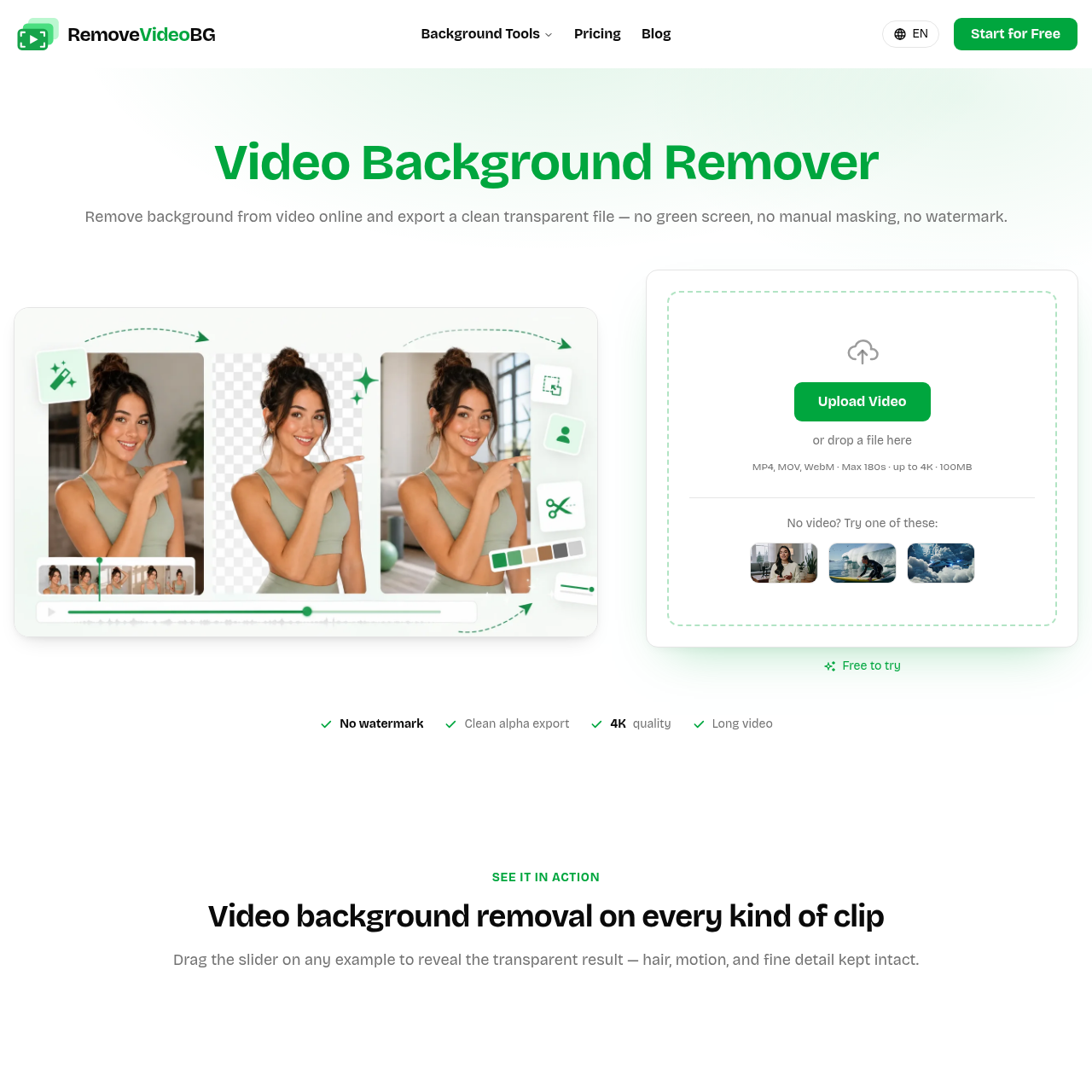
Video Background Remover screenshot

Video Background Remover overview

Video Background Remover lets users upload MP4, MOV, or WebM files up to 180 seconds and 100MB and uses AI to detect subjects frame by frame, preserving hair, soft edges, and fast motion. It supports transparent alpha exports in WebM and PNG sequence, ProRes MOV masters, and MP4 with a new background, all up to 4K with no watermark. It runs in the browser with no install and offers free trial credits and previews.

Video Background Remover features

  • No green screen or manual keying
  • AI subject detection frame by frame
  • True transparent alpha export in WebM and PNG sequence
  • Replace background with solid color, blur, or custom image
  • Upload MP4, MOV, and WebM files
  • Up to 4K resolution with no watermark
  • Long videos supported, including tutorials and webinars
  • Fully online with nothing to install
  • Export ProRes (MOV) for editor-first workflows
  • Export standard MP4 with new background baked in
  • Preview result before download
  • Fast automatic processing in minutes

Questions about Video Background Remover

Video Background Remover pros

  • Real alpha transparency, not a flattened black background
  • No watermark on any export
  • Preserves resolution up to 4K and frame rate
  • Handles hair, soft edges, and fast motion cleanly
  • Supports long-form videos, not just short clips
  • Runs in the browser with no installation
  • Allows background replacement with solid color or custom image
  • Uploads processed over encrypted connection and never shared

Video Background Remover limitations

  • Uploads limited to 180 seconds and 100MB
  • Transparent ProRes 4444 not directly exported; re-export needed for alpha in that format
  • Full exports require paid credits after trial/previews

Video Background Remover use cases

  • E-commerce and product listings
  • Social media and UGC overlays
  • Gaming and streaming facecam overlays
  • Course and tutorial videos
  • 3D character animation
  • Game and VFX creature isolation
  • AI and CGI footage compositing
  • Marketing ads with different backgrounds
  • Creators and vloggers clips
  • Sports and action footage
  • Long-form webinars and full lessons
  • Replacing backgrounds in OBS, Premiere, After Effects, Final Cut

Who Video Background Remover is for

  • Creators and vloggers
  • UGC creators
  • Motion designers
  • E-commerce sellers
  • Streamers
  • Course creators
  • Marketing leads
  • Indie developers
  • Online educators

Video Background Remover pricing

Free to try with credits granted at sign-up; previews are always free. Paid credits are required for longer exports, and you only pay for the seconds processed. No watermark on exports.

Alternatives to Video Background Remover