
Photo to Text Converter
VisitExtract text from images, PDFs, and screenshots free online
Photo to Text Converter introduction
Free online OCR tool that turns photos, PDFs, and screenshots into editable text you can copy, download, or convert to Word or Excel.
- Website:
- photototext.ai
✨ AI Toolfreemium
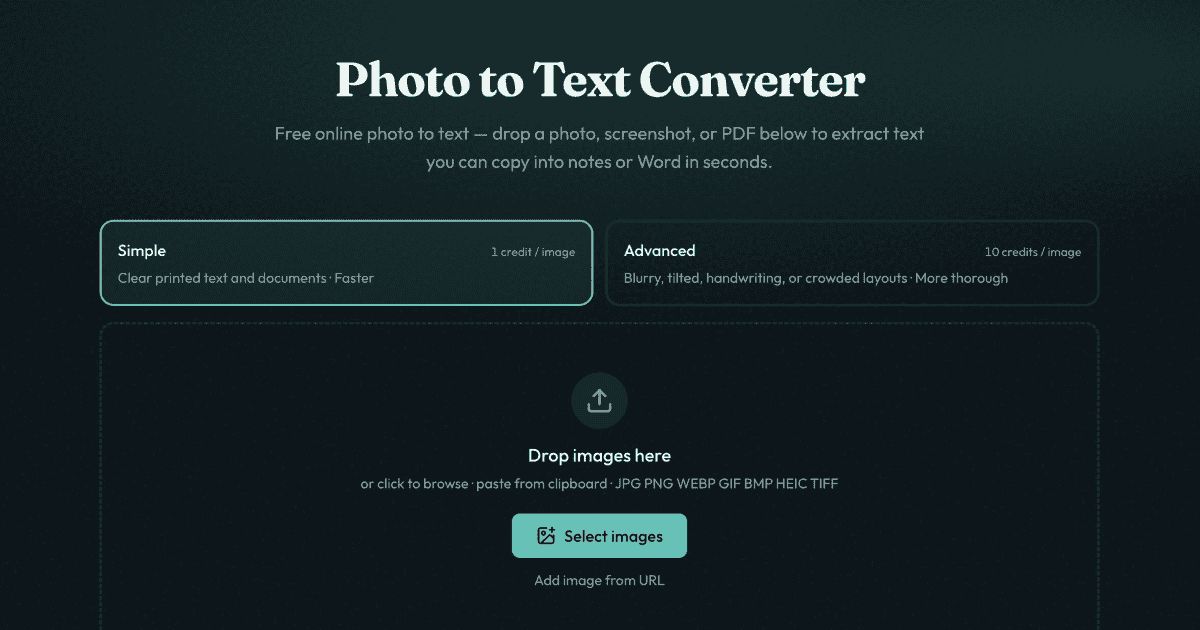
Photo to Text Converter overview
Photo to Text Converter is a free online OCR tool for extracting text from images, PDFs, and screenshots. Users can drop, browse, or paste files; run Simple or Advanced OCR; and copy the result or download DOCX, Markdown, or TXT. Dedicated converters are available for JPG to Word and JPG to Excel for editable documents and spreadsheets. Guest conversions do not store data; sign-in adds history, deletion, and credits for higher volume or Advanced mode.
Photo to Text Converter features
- OCR extraction from JPG, PNG, WEBP, GIF, BMP, HEIC, TIFF, and PDF files
- Drag-and-drop, browse, or paste from clipboard
- Simple mode for clear photos and screenshots
- Advanced mode for blurry, tilted, handwriting, crowded layouts, and tables
- Copy extracted text with formatting
- Download results as DOCX, Markdown, or TXT
- Dedicated JPG to Word converter with insert images, plain text, or keep formatting
- Dedicated JPG to Excel converter for tables, receipts, and scanned sheets with XLSX, CSV, or TSV download
- No sign-up required to start converting
- Guest conversions are not transmitted or stored
- Account Results history with delete controls and auto-clear after about 14 days
- Credits and plans unlock more volume and Advanced mode
Questions about Photo to Text Converter
Photo to Text Converter pros
- Free to start with no sign-up required
- Supports common image formats including JPG, PNG, WEBP, HEIC, TIFF, and PDF
- Simple and Advanced OCR modes for different photo quality
- Copy text with formatting or download DOCX, Markdown, TXT
- Table extraction to Excel with XLSX, CSV, or TSV export
- Guest conversions are not transmitted or stored
- Results history with delete controls and automatic clearing after about 14 days
- Drag-and-drop, browse, and clipboard paste options
Photo to Text Converter limitations
- Advanced mode and higher volume require credits or plans
- Guest conversions do not keep results as account history
Photo to Text Converter use cases
- Convert screenshots with unselectable text
- Extract text from phone photos and camera shots
- Turn scanned documents and PDF pages into searchable text
- Pull text from printed pages
- Convert receipt and invoice photos into spreadsheet rows
- Open JPG to Word for scanned pages or locked screenshots
- Open JPG to Excel for receipt grids, screenshot tables, and paper sheets
- Copy extracted text into notes, Word, Docs, or email
- Download DOCX, Markdown, or TXT for document workflows
- Use Advanced OCR for blurry photos, tilted pages, handwriting, and crowded layouts
Who Photo to Text Converter is for
- People who need to extract text from screenshots
- Users with phone photos of documents
- Anyone handling PDF scans
- Receipt and invoice processors
- Spreadsheet users converting paper tables
- Word users needing editable document text from images
- Users who prefer no sign-up for quick conversions
- Users needing higher volume or Advanced OCR with credits
Photo to Text Converter pricing
Free to start without signing up; credits and plans unlock more volume and Advanced mode when needed.