
Kynelio
VisitAI Kitchen Design from Photo
Kynelio introduction
Upload a kitchen photo, choose a style and how much to change, then preview AI kitchen design ideas before hiring contractors or buying materials.
- Website:
- kynelio.com
Kynelio overview
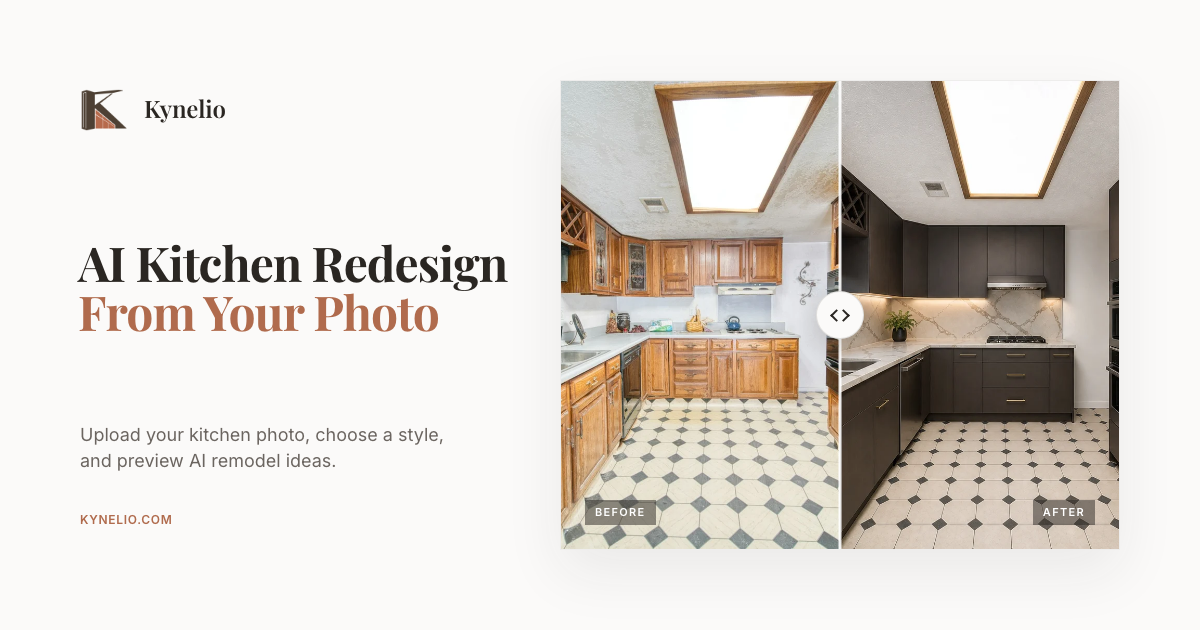
Kynelio is an AI kitchen design tool that generates visual remodel previews from an uploaded kitchen photo. Users choose from eight style directions, select how much to change (Balanced or Bold), and compare before-and-after concepts without needing a floor plan. It is intended for early remodel direction, not construction or measurement plans. The free plan includes one standard watermarked preview after sign-up; paid credit packs offer HD previews and clean downloads.
Kynelio features
- AI kitchen design from an uploaded photo
- One free standard preview after sign-up
- No floor plan required
- Choose from eight style directions: Modern, Traditional, Coastal, Industrial, Transitional, Contemporary, Japandi, Modern Farmhouse
- Balanced and Bold change levels
- Before-and-after previews for compact, galley, and U-shaped layouts
- Visual remodel concepts, not construction or measurement plans
- Private photo handling according to Privacy Policy
- Credit packs for standard and HD previews
- Clean downloads with no watermark for paid users
- Preserve main layout with Balanced Redesign
- Compare styles on the same source kitchen
Questions about Kynelio
Kynelio pros
- One free preview after sign-up
- No floor plan required
- Generates previews from your own kitchen photo, not a random prompt
- Eight built-in style directions to compare
- Balanced mode preserves the main layout while updating style and finishes
- Before-and-after examples for compact, galley, and U-shaped layouts
- Paid packs include HD previews and clean downloads
- Larger credit packs reduce cost per preview
Kynelio limitations
- Not a construction or measurement tool; results are visual concepts only
- Does not provide exact measurements, permits, or contractor-ready drawings
- Free plan includes only one standard preview with a watermarked download
- Free preview requires sign-up
- Additional previews require purchasing credit packs
Kynelio use cases
- Explore kitchen remodel ideas before buying cabinets or materials
- Preview different kitchen styles on your own photo
- Compare style directions without floor plans
- See how much change works with Balanced vs Bold
- Evaluate concepts for compact, galley, and U-shaped kitchens
- Get early visual direction before hiring contractors
- Avoid costly cabinet or countertop mistakes with low-cost previews
- Test Japandi, Modern Farmhouse, Coastal, and other styles
Who Kynelio is for
- Homeowners planning a kitchen remodel
- People who want AI-generated kitchen design previews
- Users comparing styles before hiring contractors
- Individuals buying kitchen materials
- DIY remodelers exploring visual concepts
- Anyone with a kitchen photo and no floor plan
Kynelio pricing
Free plan includes 1 standard kitchen preview with watermarked download after sign-up. Pro Pack is $19 for 40 credits (up to 20 standard or 10 HD previews). Max Pack is $49 for 160 credits (up to 80 standard or 40 HD previews). Paid users get HD previews and clean downloads without watermark; larger packs lower the cost per preview.